Migrating an Access application to SQL Server, the web, or Cloud Run

An application built in Access usually starts as a quick solution and ends up being the system upon which part of the operation depends. If a person or team uses it today and does not know what would happen if it stopped working, this page is for you: it explains the destination options and how to move forward without risking everything on a single step.

An application built in Access usually starts as a quick solution and ends up being the system upon which part of the operation depends. If a person or team uses it today and does not know what would happen if it stopped working, this page is for you: it explains the destination options and how to move forward without risking everything on a single step.

To get started, simply describe what the application does. Do not send credentials or databases.

Request your Proportione Legacy diagnosis

Where is your case

Each query has its section, with its own questions:

In a nutshell

An Access application is migrated in pieces: data, screens, reports, and macros

An Access application mixes four different things in a single file: the tables with the data, the forms used to work with it, the reports that are printed or exported, and the code (queries and macros) that ties everything together. Migrating it means deciding what to do with each piece, not just swapping one file for another. If there are also inherited applications in other languages, such as Visual Basic 6, see migrating applications in legacy languages.

That's why the first question isn't 'What do I migrate it to?', but 'What does it actually do?'. We start with a diagnosis of your data and processes before choosing the destination. It delivers an inventory of processes and data, the options (build, buy, or connect), and a phased scope proposal.

What it means for you: know what the application contains and what role it plays before deciding. Next step: choose the section below that resembles your case.

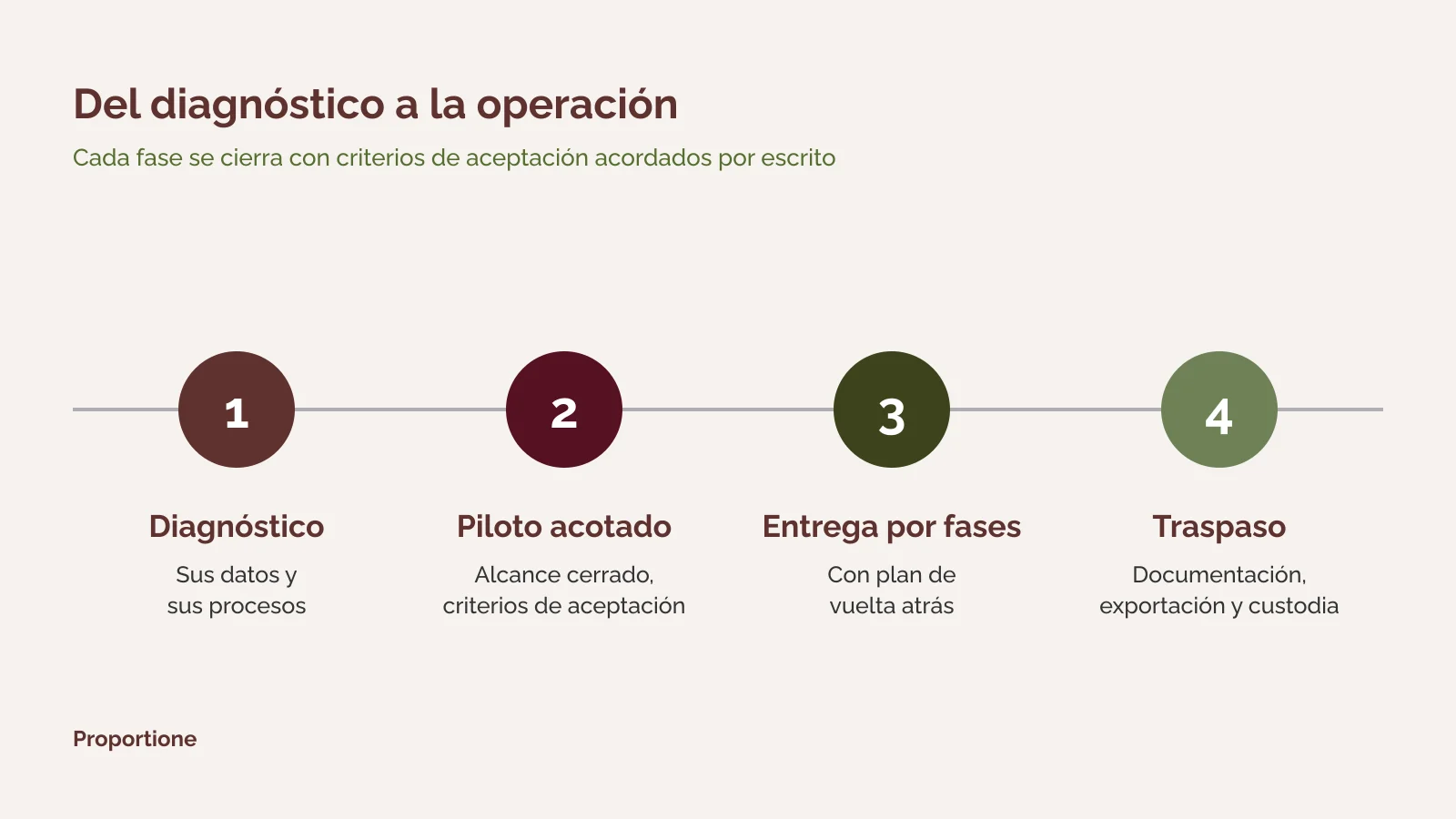
Diagram of four phases of custom software development: diagnosis, limited pilot, phased delivery, and handover

Migrating Access to SQL Server: separating data from the application

Migrating Access to SQL Server means moving tables to a server database. Data is no longer in a file that each user opens; it now resides in a single location with access control and separate managed backups.

Moving tables alone doesn't resolve screens, reports, and macros: they remain in Access and must continue to function with the new database, or be redone. This is decided piece by piece during the diagnosis.

What to check before moving tables

What it means for you: Data is organized and in a controlled location, and it's known which part of the application is still pending. Next step: request the diagnosis and review the phased proposal.

Questions about migrating Access to SQL Server

Can Access be migrated to SQL Server and continue using the Access application?

It is one of the options considered: data moves to the server and screens remain in Access, connected to that database. It serves as a first step in phases. Whether it is the final destination or not depends on what the diagnosis finds in its forms, reports, and macros.

What happens to queries and macros during migration?

They are inventoried as part of the diagnosis. Some are kept, others are rewritten in the database or in a new application, and those no longer used are retired. Each decision is documented in the phased proposal.

What if something goes wrong during the change?

It is delivered in phases, with acceptance criteria and a rollback plan. The rollback is part of the design: it is defined before touching anything.

Migrating an Access application to a web application: what you see changes, what the business does does not

Migrating an Access application to a web application means redoing the screens and logic so they can be used from a browser, with a server database behind them. It is a major change compared to moving tables, and that is why it is advisable to first understand which processes it supports.

There are two common reasons to consider this: more people need to use it (also from outside the office) and the application needs to communicate with other systems. In the latter case, sometimes it is not necessary to redo it entirely: it is enough to connect it using APIs and connectors.

Industrial warehouse with conveyor belts and feeding hoppers, viewed from a walkway

Three options for a web application

What it means for you: you don't have to decide between 'redo everything' and 'leave it as is': there is a third way. Next step: if you want to see how we work on development, consult custom software development.

Request your Proportione Legacy diagnosis

Questions about migrating an Access application to the web

Does the entire application need to be redone to work in the browser?

The screens almost always need to be redone, because an Access form does not run in the browser. The logic and data are leveraged to the extent that the diagnosis finds them ordered. That is why the scope comes from the inventory, not from a rough estimate.

Can one person use the old application while the new one is being built?

With phased delivery, the old system can remain in use until the corresponding phase of the new system meets its acceptance criteria. The rollback plan covers the moment of change.

Buy a market product instead of building?

If a product meets your needs without forcing your way of working, it is usually the best option. The diagnosis compares building, buying, and connecting with data from your case.

Update Access to Google Cloud Run: Access doesn't run there, the application that replaces it does

Those looking to "update Access to Google Cloud Run" usually want their application to stop depending on an office computer and move to Google Cloud. It's worth clarifying a point: Access is a desktop tool and does not run as such on Cloud Run. What is deployed there is a new web application, packaged in a container, with its database managed separately.

It is a valid destination when the company already works on Google Cloud or wants a service that scales without managing servers. It is not the mandatory destination: if your company does not use that cloud, other options fit just as well or better. The diagnosis decides, not the platform name.

What changes compared to a migration to a self-hosted server

What it means for you: the application is no longer tied to a specific team, and it is documented how to exit. Next step: request the diagnosis and indicate in the form that your intended destination is Google Cloud.

Questions about moving Access to Google Cloud Run

Can the Access application run directly on Cloud Run?

No. Cloud Run runs containers with server applications. The Access application is replaced by a web application that does the same thing, and the data is moved to a managed database.

Is Cloud Run the only option in the cloud?

No. It is one option among several. The choice depends on where your company already works, where the data needs to be located, and which team will operate the application afterwards.

Who owns the code deployed in the cloud?

The code belongs to the client, and this is explicitly stated in the contract. Documentation, exportability, and custody are verifiable and form part of the design.

Macros and Excel spreadsheets acting as an application: first we analyze which process they support

Often the "system" is not an Access database, but an Excel workbook with macros that someone set up years ago and that only one person understands. It works until the day that person is gone, or Excel changes versions, or two users need to edit it at the same time.

Migrating macros and Excel sheets to an application starts with the same thing as any other migration: understanding what process supports the workbook, what data it carries, and who depends on it. Afterwards, it is decided whether to build an application, whether it is enough to organize the data in a database, or whether it is better to connect the workbook with another tool. If the workbook acts as a CRM, see from spreadsheets to CRM.

Signs that the workbook is already an application

What it means for you: knowing what process is behind it allows you to decide with criteria and not out of haste. Next step: describe the case for us in the form.

Questions about macros and Excel sheets

Can Excel macros be migrated as-is?

Macros are inventoried and it is decided, one by one, whether to keep them, rewrite them, or retire them. A macro that automates a confusing process is not carried over: the process is organized first.

Is an application required or is a database enough?

It depends on who uses the data and for what purpose. If it is only necessary to organize and query them, a database may suffice; if there is a process with steps and responsible parties, an application is usually needed. The diagnosis clarifies this.

What you receive and how to proceed

Whatever the destination, the method is the same. The general details are in how we work.

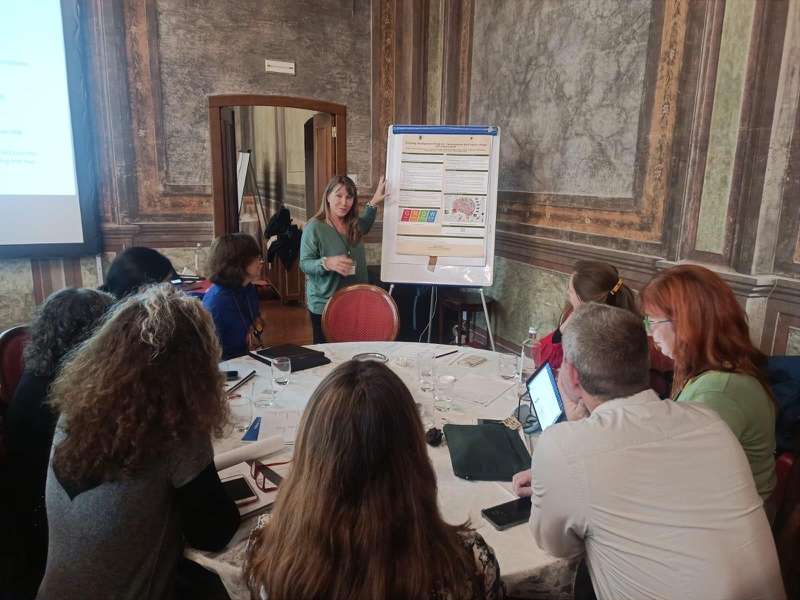
A Proportione professional presents a work plan to a group in a meeting room

1. Diagnosis: process and data inventory, options (build, buy, or connect), and phased scope proposal. 2. Scoped pilot, with pre-established acceptance criteria before proceeding, when the case requires it. 3. Phased delivery, with acceptance criteria and a rollback plan. 4. Handover: verifiable documentation, export, and custody. The code is yours, and that is stated in the contract.

What it means for you: at all times you know what has been delivered, what is missing, and how to roll back. Next step: request the diagnosis.

First the process, then connect, and finally AI

The order is always the same: first the process is digitized and understood; then the old software is opened with APIs and connectors to link it with the rest, and only then is AI applied on top. We propose AI afterwards, when the process is understood and the data is organized.

AI can run on your own server and, if necessary, offline. This is the same option we described in legacy systems migration service and in artificial intelligence in business.

What it means for you: your data does not have to leave your premises. Next step: If your Access application is just one of several legacy pieces, see the whole picture at Business Management Consulting and our services.

Frequently Asked Questions

Where do you start when migrating an Access application?

With a diagnosis of your data and processes, before choosing a destination. It delivers an inventory of processes and data, the options (build, buy, or connect), and a phased scope proposal.

How much does it cost to migrate an Access application?

It depends on the scope: how many tables, forms, reports, and macros there are, and what they need to do afterward. That is why we do not give a figure without knowing your case. The phased scope proposal is where this is specified.

How long does it take?

It depends on the scope. We work in phases, each with its acceptance criteria, and the timeline comes from the phased scope proposal. We don't give a single deadline without knowing your case.

Does the application have to stop being used during the migration?

It is delivered in phases, with acceptance criteria and a rollback plan, so that each step can be checked and, if necessary, undone. How the change of each phase is organized is defined in the proposal.

Can we do it without the data leaving our facilities?

Yes. Data extraction, migration, and any AI used subsequently can be run on your servers or on dedicated hardware, even on an offline network.

Who owns the code and documentation?

The code belongs to the client, and this is explicitly stated in the contract. Documentation, exportability, and custody are verifiable and form part of the design.

Request your Proportione Legacy diagnosis

Tell us what your application does and what your goal is. We will respond within two business days. [Short form: see specification in notes] If you prefer to write to us directly: contact.

Request your Proportione Legacy diagnosis

Do not send credentials or databases. We will use your data only to respond to you; more information in the Privacy Policy.