Migrate to Google Workspace: email, files and spreadsheets

When email lives on a server, files in a shared office folder, and half of your operations in spreadsheets with macros, changing your work environment isn't an installation: it's deciding what moves, who sees it, and what's left behind. If you're considering moving to Google Workspace, this page explains how each part is approached and what's decided before anything is touched.

When email lives on a server, files in a shared office folder, and half of your operations in spreadsheets with macros, changing your work environment isn't an installation: it's deciding what moves, who sees it, and what's left behind. If you're considering moving to Google Workspace, this page explains how each part is approached and what's decided before anything is touched.

To start, just describe what you want to move and from where. Do not send passwords or mailbox copies.

Request your Proportione Legacy diagnosis

Where is your case

Each query has its section, with its own questions:

In a nutshell

Migrating is about moving people and habits, not just mailboxes

A work environment is not reduced to its data. It includes who can see which folder, which mailing list each team uses, which spreadsheet opens every Monday, and who knows how it works. That's why the first question isn't 'What tool do I use to move it?', but 'What's there, who uses it, and what happens if it's gone?'.

We start with a diagnosis of your data and processes before choosing a destination. It delivers an inventory of processes and data, the options (build, buy, or connect), and a phased scope proposal. The destination can be the entire Google Workspace, a part of it, or none: if the diagnosis concludes that something shouldn't be moved, it will be stated in writing.

If what's behind it is a broader set of legacy systems, see the big picture at legacy systems migration service.

What it means for you: know what your current environment contains before deciding. Next step: choose the section below that resembles your case.

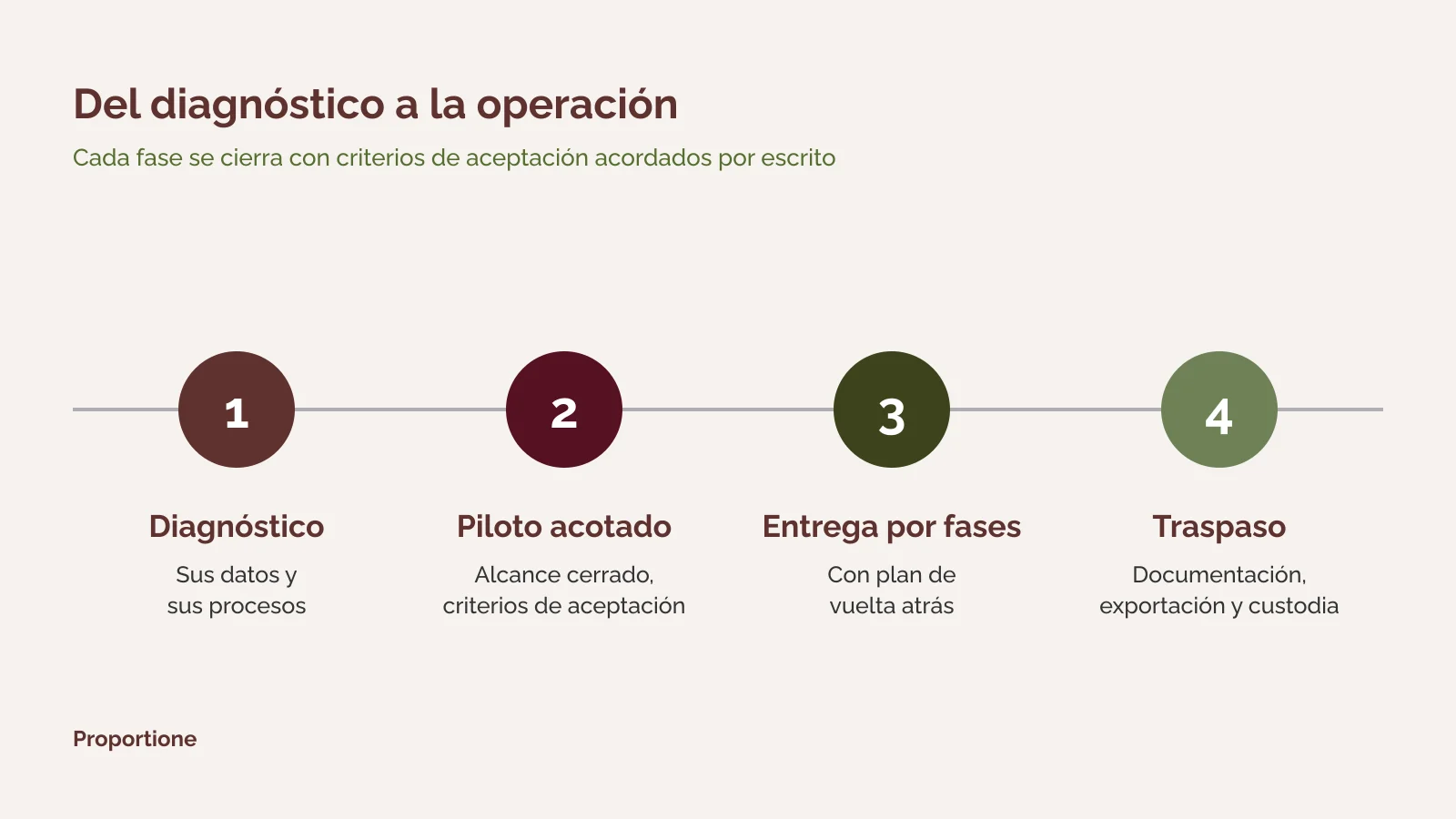
Diagram of four phases of custom software development: diagnosis, limited pilot, phased delivery, and handover

Migrate to Google Workspace: email, calendars, and contacts

Migrating to Google Workspace means moving each person's mailboxes, calendars, and contacts from the current mail server to Google accounts, leaving the organization with a single domain, a single user directory, and common access rules.

According to Google's documentation, the Admin Console's import tool can bring mail, calendar events, and contacts, depending on the source server. What the tool doesn't decide for you is the rest: which accounts are created, which shared mailboxes and lists exist, from what date the import starts, and what each team does on the day of the change.

What to decide before moving a single mailbox

What it means for you: each person knows what changes on the day of the change and the management knows what is left out. Next step: request the diagnosis and review the phased proposal.

Questions about migrating email, calendars, and contacts

Are calendars and contacts also migrated, or only email?

It depends on the source. Google's documentation indicates that the import can cover email, calendar events, and contacts, and that depending on the type of source server, not all data types are available. The diagnosis checks, for your case, what can be brought through this channel and what needs to be moved in another way.

What happens if an import needs to be repeated?

The case must be foreseen before launching it. According to Google's documentation, stopping an import does not revert what has already been imported, and a new import duplicates contacts that may have already been imported. That is why it is planned with a limited test first and how to revert is defined in advance.

Can people work with their email while migrating?

It is delivered in phases, with acceptance criteria and a rollback plan. How the transition of each group of people is organized, and what happens to incoming email during the change, are defined in the phased proposal.

Migrate files to Google Drive: from file servers and shared folders

A file server usually accumulates years of folders, with permissions set by people who may no longer be there. Migrating those files to Google Drive is not just copying a folder tree: it is deciding what structure the company archive will have and who is responsible for each part.

The fundamental difference lies in ownership. According to Google's documentation on shared drives, when moving a file to a shared drive, ownership passes from the individual to the organization. This prevents files from remaining tied to someone who leaves and requires different care: the permissions that a folder inherited from the parent folder are not copied, and all members of the drive see the folder's content.

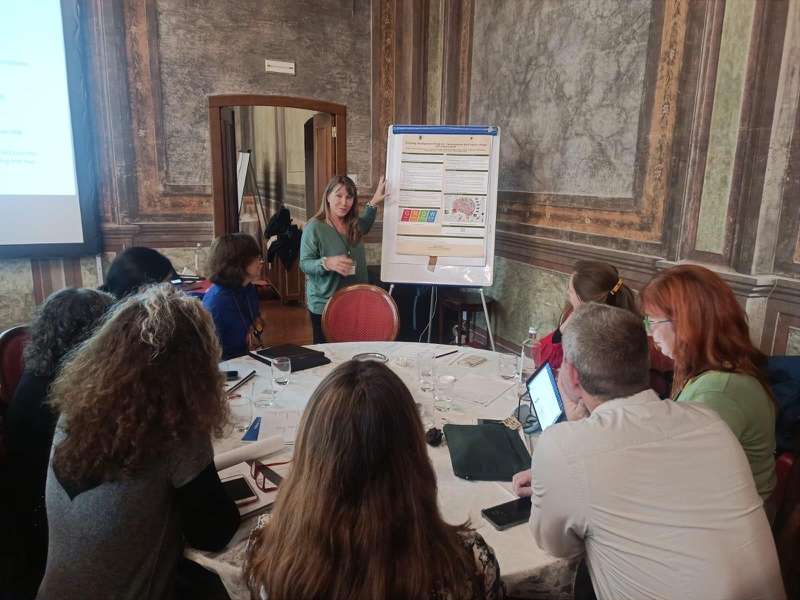
A Proportione professional presents a work plan to a group in a meeting room

Structure and permissions: what is decided before copying

What it means for you: the company's file remains organized and with responsibles, and it is known which permissions change when moving. Next step: request the diagnosis and indicate how many servers or shared folders there are.

Request your Proportione Legacy diagnosis

Questions about migrating files to Google Drive

Are folder permissions retained during migration?

They should not be assumed to be retained. According to Google's documentation, permissions inherited from the parent folder are not copied when moving content to a shared drive. That is why an inventory of permissions is done before moving and a check afterwards, folder by folder, against the approved list.

Do all files need to be migrated?

No. The diagnosis separates what is used, what must be kept by obligation, and what can be retired. What is kept and for how long is decided by the company, with its advisor where appropriate; we leave the inventory that allows this decision to be made.

What about applications that read or write to a shared folder?

This is a common and often overlooked dependency: a management program that leaves reports in a folder, or a process that collects files from another. These are inventoried during the diagnosis, and it is decided on a case-by-case basis whether to redirect them or if they connect via APIs and connectors.

From spreadsheets and macros to an application connected with Workspace

In quite a few companies, the management system is a spreadsheet with macros that someone put together years ago. It works until two people need it at the same time, or until the person who understands it is no longer there. When moving to Google Workspace, a question arises that wasn't there before: do we move the spreadsheet as is, or is it time to turn it into an application?

There are three paths, and they are not mutually exclusive:

Macros would be invented one by one before deciding. The method is in macros and spreadsheets that act as applications. If the new application is hosted on Google Cloud, see migration to Google Cloud: we operate our own internal systems on Google Cloud (Cloud Run and Firestore).

A speaker at a conference on information systems

Signs that the spreadsheet is already an application

What it means for you: distinguish between what is moving and what deserves an application, without deciding in haste. Next step: describe in the form what the spreadsheet does and who depends on it.

Questions about moving from spreadsheets and macros to an application

Can macros be moved as-is to Google Workspace?

They are not considered transferable. Macros will be invented and it will be decided, one by one, whether to keep, rewrite, or remove them. A macro that automates a confusing process is not transferred: the process is organized first.

When is Apps Script enough, and when is an application needed?

It's enough as long as the process is simple and few people use it. An application is needed when there are steps with responsible parties, history, different permissions by role, or connection with other systems. The diagnosis clarifies this with data from your case. The Apps Script guide explains what it automates and its limitations.

What you receive and how to proceed

Whatever the move, the method is the same. General details are in how we work.

1. Diagnosis: process and data inventory, options (build, buy, or connect), and phased scope proposal. 2. Scoped pilot, with pre-established acceptance criteria before proceeding, when the case requires it. 3. Phased delivery, with acceptance criteria and a rollback plan. 4. Handover: verifiable documentation, export, and custody. The code is yours, and that is stated in the contract.

What it means for you: at all times you know what has been delivered, what is missing, and how to roll back. Next step: request the diagnosis.

First the operation, then connect, and finally, AI

The order we follow is this: first the operation is organized, so that emails, files, and spreadsheets are where they should be and with the correct permissions; then systems are connected with APIs and connectors, and only then is AI considered on top.

AI can run on your own server and, if necessary, without an internet connection. It is the same option we describe in the legacy systems migration hub and in artificial intelligence in business. If you want to delve deeper, read AI with legacy software: where to start.

What it means for you: knows the order in which to progress and where AI fits in. Next step: see the big picture in Business Management Consulting and our services.

Frequently Asked Questions

Where do you start when migrating to Google Workspace?

With a diagnosis of your data and processes, before choosing a destination. It delivers an inventory of processes and data, the options (build, buy, or connect), and a phased scope proposal.

How much does it cost and how long does it take?

It depends on the scope: how many accounts, how many files and servers, what permissions exist, and how many spreadsheets or macros act as applications. That is why we do not give a figure or a deadline without knowing your case. The phased scope proposal is the point where this is specified.

What precautions are required when migrating email and files containing personal data?

A company's email and files often contain personal data, and moving them is a process that should be managed. Before moving, it's important to clarify who has access at the origin and who will have access at the destination, what permissions each folder has, what is retained and for how long (retention), what is deleted from the origin and when, and how the moved data is recorded. This is a list of practical considerations, not legal advice: decisions about what to retain and on what basis should be made by your data protection officer or advisor.

Do people have to stop working during the migration?

It is delivered in phases, with acceptance criteria and a rollback plan, so that each step can be verified and, if necessary, undone. How the transition for each group is organized is defined in the proposal.

Can AI be used without our data leaving our premises?

Yes. AI can run on your own server and, if necessary, without an internet connection. This option is independent of where your email and files are stored, and is decided after organizing them.

Who owns the code and the documentation?

The code belongs to the client, and this is explicitly stated in the contract. Documentation, exportability, and custody are verifiable and form part of the design.

Request your Proportione Legacy diagnosis

Tell us what you want to move and from where. We will get back to you within a maximum of two business days. [Short form: see specification in notes] If you prefer to write to us directly: contact.

Request your Proportione Legacy diagnosis

Do not send credentials or databases. We will use your data only to respond to you; more information in the Privacy Policy.